We look forward to showing you Velaris, but first we'd like to know a little bit about you.


The Complete Guide to Customer Collaboration Platforms
Learn the essentials of customer collaboration platforms, from features to choosing the right one.
The Velaris Team
September 24, 2026
Businesses today struggle with scattered communication, slow responses, and siloed teams all of which weaken customer relationships. A customer collaboration platform solves these pain points by centralizing communication, streamlining workflows, and building stronger connections.
In this guide, you’ll learn why collaboration platforms matter and how to choose and use the right platform to improve collaboration, boost satisfaction, and drive growth.
Key takeaways
- Align tools with business needs: Choose platforms that directly support your workflows.
- Ensure scalability and integration: Pick solutions that grow with you and connect seamlessly to existing systems.
- Balance automation and personalization: Streamline tasks without losing the human touch.
- Encourage participation and clear communication: Foster active customer involvement with structured guidelines.
- Track KPIs and feedback: Continuously measure performance to refine collaboration strategies.
What is a customer collaboration platform
A customer collaboration platform is a digital workspace that brings businesses and customers together to communicate, share information, and solve problems in one place. Unlike traditional communication tools such as email or phone calls, which often create delays and fragmented conversations, collaboration platforms provide real-time messaging, shared workspaces, and integrated workflows that keep everyone aligned.
They are essential for modern customer success because they streamline communication, reduce response times, and build stronger, more transparent relationships helping businesses improve satisfaction, retention, and long-term growth.
The data-ownership problem in generic tools
General-purpose collaboration tools like Slack or Notion can work well for day-to-day communication, but they often create a hidden data-ownership problem for customer success teams.
Important context can end up spread across private DMs, individual pages, personal folders and channels that were never designed to act as the long-term record of a customer relationship.
A new CSM may need to understand what was promised, which risks were discussed and how the customer’s goals have changed, only to find that the relevant history sits across multiple tools and individual user accounts.
A customer collaboration platform should keep key information attached to the account rather than to the person who happened to create it. Success plans, milestones, shared documents, decisions and conversations should remain accessible when CSMs, customer champions or internal owners change.
Why businesses need customer collaboration platforms
Customer collaboration platforms are essential for businesses that want to meet rising customer expectations, build trust, and align teams around shared goals. They help companies move beyond fragmented communication and create seamless, transparent experiences that drive satisfaction, retention, and advocacy.
Customers expect transparency and real-time engagement
Modern customers want instant updates and clear communication. Collaboration platforms provide real-time messaging, shared dashboards, and visibility into progress, ensuring customers feel informed and valued.
Collaboration builds trust and loyalty
When customers can actively participate in projects or problem-solving, they feel heard and respected. This transparency builds trust, strengthens loyalty, and encourages long-term partnerships.
The portal as a renewal audit trail
A well-structured customer portal can become a useful source of evidence when renewal conversations begin.
Throughout the relationship, use the workspace to capture important decisions, agreed actions, success-plan milestones, QBR outcomes, stakeholder commitments, and changes in customer priorities. This creates a running record of what both sides agreed to and what progress has been made.
That history becomes especially valuable when the renewal involves new stakeholders or questions about whether the expected value was delivered.
Stronger relationships drive retention and advocacy
According to Affinco, the average retention rate across industries sits at 75.5% in 2026, but a mere 5% boost can skyrocket your profits by 25% to 95%. Engaged customers are more likely to stay with a brand and recommend it to others. Collaboration platforms foster deeper relationships that translate into higher retention rates and word-of-mouth advocacy.
Helps align internal teams with customer goals
Collaboration tools break down silos by connecting support, sales, and success teams in one workspace. This alignment ensures everyone is working toward the same customer outcomes, reducing friction and improving efficiency.
Here’s a list of the best customer collaboration platforms:
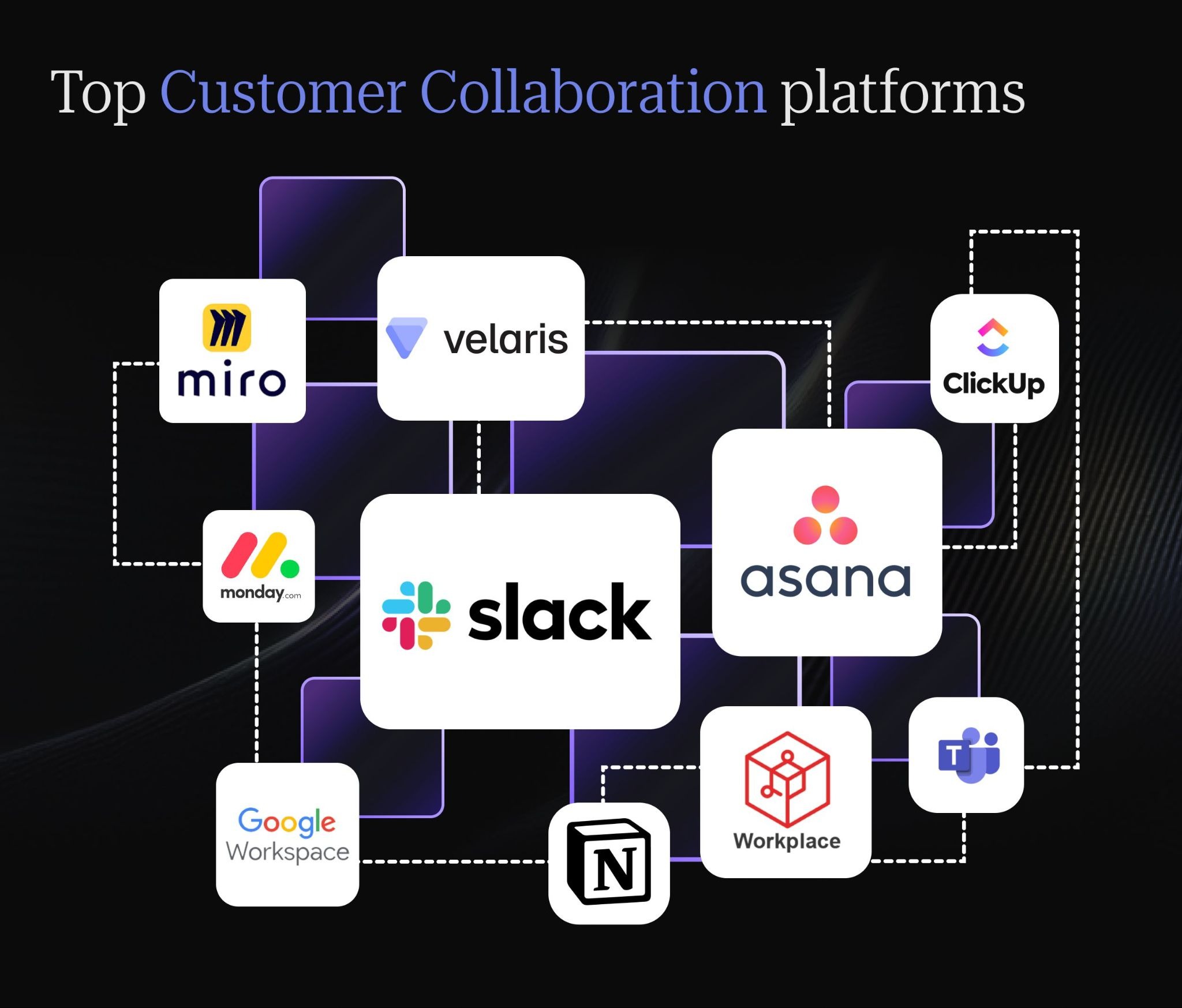
Slack
Slack is one of the most popular collaboration platforms, designed to simplify communication and keep workflows connected. It helps teams move away from slow, fragmented email threads by offering instant messaging, organized channels, and powerful integrations with other tools.
Functions
- Real-time messaging: Slack enables instant communication through direct messages and group channels, reducing delays compared to email.
- Integrations: It connects with hundreds of apps like Google Drive, Trello, and Salesforce, making workflows seamless and centralized.
Advantages
- Ease of communication: Teams and customers can quickly share updates, files, and feedback, keeping collaboration smooth and efficient.
- App ecosystem: Slack’s wide range of integrations allows businesses to tailor the platform to their specific needs, making it flexible for startups and enterprises alike.
How to use
- Create channels: Organize conversations by project, department, or customer group to keep discussions structured.
- Use bots: Automate routine tasks such as reminders, status updates, or notifications to save time.
- Integrate with tools: Enhance productivity by connecting Slack with apps like Google Workspace, Trello, or CRM systems for a unified workflow.
Slack offers a free plan, while Pro starts at $7.25 per user/month when billed annually and Business+ at $15 per user/month annually. Pricing scales per active user, so costs can rise quickly for larger internal teams.
Velaris
Velaris, a highly rated software on G2, is a purpose-built platform designed specifically for customer success teams. Unlike general collaboration tools, it provides a unified workspace that blends communication, project management, and customer insights. Its strength lies in real-time analytics and seamless integrations, helping businesses track customer health, engagement, and journeys while scaling with growing customer bases.
Functions
- Unified workspace: Combines communication, project management, and insights into one platform, ensuring teams and customers collaborate in a shared environment.
- Real-time analytics: Tracks customer health scores, engagement metrics, and KPIs to provide actionable insights.
- Seamless integrations: Connects with CRM systems and SaaS tools to streamline workflows and centralize customer data.
Advantages
- Customer-focused design: Unlike general teamwork platforms, Velaris is tailored for customer collaboration and success management.
- Actionable insights: Goes beyond communication by offering analytics that guide proactive engagement strategies.
- Scalability: Built to grow with expanding customer bases, ensuring long-term usability for startups and enterprises alike.
How to use
- Onboard teams and customers: Create shared workspaces where both internal teams and customers can collaborate transparently.
- Track KPIs and journeys: Monitor customer health, engagement, and lifecycle stages in real time to identify risks and opportunities.
- Automate workflows: Use automation to streamline repetitive tasks while maintaining personalization in customer interactions.
Velaris uses custom pricing based on factors such as team size, data complexity and the capabilities required. Its standard license includes five users and unlimited viewers, with additional products and capabilities available depending on the package
Asana
Asana is one of the most widely used collaboration platforms, especially for teams that need structured project and task management. It helps businesses organize work, assign responsibilities, and keep track of progress in a clear, visual way. With features like timelines and boards, Asana makes it easier to manage complex projects while ensuring everyone stays aligned.
Functions
- Project and task management: Asana allows teams to break down work into projects and tasks, assign responsibilities, and collaborate in one shared workspace.
- Timelines: Its timeline view visually maps out tasks and deadlines, helping teams understand dependencies and keep projects on track.
Advantages
- Clear visibility: Asana provides transparency into project progress, showing what’s completed, what’s pending, and who is responsible. This reduces confusion and keeps everyone aligned.
How to use
- Assign tasks: Create tasks within projects and assign them to team members to ensure accountability.
- Set deadlines: Add due dates to tasks so teams can manage priorities and avoid delays.
- Track completion: Monitor progress through boards, lists, or timelines, and mark tasks as complete to keep projects moving forward efficiently.
Asana has a free Personal tier, with Starter at $10.99 per user/month and Advanced at $24.99 per user/month when billed annually. External guests can be invited without consuming paid seats, which can make it more economical for customer collaboration.
ClickUp
ClickUp is an all-in-one productivity platform designed to bring tasks, projects, and communication into a single workspace. It’s highly versatile, making it suitable for teams that want to manage everything from daily tasks to long-term goals without switching between multiple tools.
Functions
- All-in-one productivity platform: ClickUp combines task management, docs, goals, chat, and dashboards in one place, reducing the need for multiple apps and keeping workflows centralized.
Advantages
- Customizable dashboards: Teams can design dashboards to track progress, KPIs, and workloads in ways that fit their unique needs.
- Docs, goals, and chat: Built-in features allow teams to collaborate on documents, set measurable goals, and communicate directly, making ClickUp a flexible solution for different workflows.
How to use
- Create spaces for teams: Organize work by creating spaces for departments, projects, or clients to keep everything structured.
- Manage workflows: Use task lists, boards, or timelines to assign responsibilities, set priorities, and track progress.
- Integrate apps: Connect ClickUp with tools like Slack, Google Workspace, or Zoom to streamline collaboration and enhance productivity.
ClickUp offers a free plan, with paid plans starting at $7 per user/month annually for Unlimited and $12 for Business. AI functionality can add further per-user or usage-based costs depending on the package selected.
Microsoft Teams
Microsoft Teams is a collaboration platform built to support communication and teamwork, especially for organizations already using Microsoft 365. It combines chat, video meetings, and file sharing in one place, making it easy for teams to stay connected and productive.
Functions
- Chat: Teams offers instant messaging for individuals and groups, keeping conversations organized and accessible.
- Video meetings: It supports video calls and conferences, making remote collaboration seamless.
- File sharing: Integrated with OneDrive and SharePoint, Teams allows users to share, edit, and co-author documents in real time.
Advantages
- Strong integration with Microsoft 365: Teams works smoothly with apps like Word, Excel, PowerPoint, and Outlook, creating a unified experience for businesses already in the Microsoft ecosystem.
How to use
- Set up channels: Create channels for projects, departments, or customer groups to keep discussions organized.
- Schedule meetings: Use the built-in calendar to plan video calls and sync with Outlook for easy scheduling.
- Collaborate on documents: Share files directly in Teams and co-edit them with colleagues using Microsoft 365 apps.
Teams Essentials costs $4 per user/month on an annual subscription, while Microsoft 365 Business Basic starts at $6 per user/month and bundles Teams with additional Microsoft productivity tools.
Zoho Workplace
Zoho Workplace is a collaboration suite designed for small and medium-sized businesses that want an affordable yet integrated set of tools. It combines email, document editing, chat, and other collaboration features into one platform, making it easier for teams to stay connected without relying on multiple apps.
Functions
- Email, docs, chat, and collaboration tools: Zoho Workplace provides professional email hosting, document creation and editing, team chat, and shared workspaces to support everyday business communication and collaboration.
Advantages
- Affordable, integrated suite for small businesses: Zoho Workplace offers a cost-effective solution with all essential tools bundled together. Its integration ensures smooth workflows, making it ideal for startups and growing companies.
How to use
- Set up teams: Create groups for departments or projects to organize communication and collaboration.
- Share files: Use Zoho Docs or WorkDrive to store and share files securely with team members.
- Manage communication: Leverage Zoho Mail and Zoho Cliq (chat) to streamline conversations and keep everyone aligned.
Zoho is one of the lower-cost options, with Workplace Standard at $3 per user/month and Professional at $6 when billed annually. Enterprise pricing is customized.
Notion
Notion is a flexible collaboration and productivity platform that combines notes, documents, databases, and team collaboration in one workspace. It’s widely used for knowledge management, project tracking, and building internal wikis, making it a versatile tool for both individuals and organizations.
Functions
- Notes, docs, databases, and collaboration: Notion allows users to take notes, create documents, build databases, and collaborate with teams in a single, unified workspace.
Advantages
- Flexible workspace for knowledge management: Notion adapts to different workflows, whether it’s organizing projects, storing company knowledge, or managing personal tasks. Its customizable structure makes it suitable for teams of all sizes.
How to use
- Build wikis: Create internal knowledge bases or team wikis to store and share information.
- Share docs: Collaborate on documents in real time, making edits and updates accessible to everyone.
- Manage tasks: Use task lists, kanban boards, or calendars to assign responsibilities and track progress.
Notion has a free tier, while Plus costs $10 per member/month and Business costs $20 per member/month. Enterprise pricing is available through sales
Google Workspace
Google Workspace is a cloud-based collaboration suite that brings together essential productivity tools like Gmail, Docs, Sheets, Meet, and Drive. It’s widely adopted across businesses and educational institutions because it enables seamless teamwork, document sharing, and communication from anywhere.
Functions
- Email, docs, sheets, meet, drive: Google Workspace provides professional email through Gmail, document creation with Docs, data management with Sheets, video meetings via Meet, and secure file storage with Drive all integrated into one platform.
Advantages
- Cloud-based collaboration: Teams can access files and tools from any device, ensuring flexibility and remote productivity.
- Widely adopted: Its popularity and ease of use make it a trusted solution for organizations of all sizes, with strong integration across Google’s ecosystem.
How to use
- Share documents: Upload or create files in Drive and share them with team members for easy access.
- Co-edit in real time: Collaborate on Docs or Sheets simultaneously, with changes visible instantly to all participants.
- Schedule meetings: Use Google Calendar and Meet to plan video calls, send invites, and keep communication organized.
Google Workspace uses per-user pricing, with Business Starter starting at $7 per user/month on an annual commitment in the US. Higher tiers add more storage, security and collaboration capabilities, while Enterprise uses sales-led pricing.
Monday.com
Monday.com is a visual project management and collaboration platform that helps teams plan, track, and automate workflows. It’s designed to make project management more intuitive with customizable boards and automation features that save time and reduce manual work.
Functions
- Project management: Monday.com allows teams to organize projects into boards, assign tasks, and track progress in a clear, visual format.
- Workflow automation: Built-in automation tools help reduce repetitive tasks, such as sending reminders or updating statuses, keeping projects efficient.
Advantages
- Visual boards: The platform uses colorful, customizable boards that make it easy to see project status at a glance.
- Customizable workflows: Teams can adapt workflows to fit their specific processes, ensuring flexibility across different industries and project types.
How to use
- Create boards: Set up boards for projects or teams to organize tasks and keep work structured.
- Assign tasks: Allocate responsibilities to team members, add deadlines, and track accountability.
- Automate processes: Use automation features to handle routine updates, notifications, or task dependencies, saving time and reducing errors.
Monday.com has a free plan for up to two users, with paid Work Management plans starting at around $9 per seat/month when billed annually. Pricing increases by plan and seat count, with Enterprise available via custom quote.
Miro
Miro is an online whiteboard platform designed for brainstorming, visual collaboration, and interactive workshops. It’s especially useful for remote teams that need a shared space to ideate, plan, and collaborate in real time.
Functions
- Online whiteboard for brainstorming and collaboration: Miro provides a digital canvas where teams can sketch ideas, map processes, and collaborate visually, making it easier to capture creativity and structure discussions.
Advantages
- Visual collaboration for remote teams: Miro helps distributed teams work together as if they were in the same room. Its visual tools such as sticky notes, diagrams, and templates make collaboration engaging and effective.
How to use
- Create boards: Set up boards for projects, workshops, or brainstorming sessions to organize ideas.
- Add sticky notes: Use sticky notes to capture thoughts, feedback, or tasks during discussions.
- Collaborate in workshops: Invite team members to join sessions, contribute ideas, and co-create in real time, making workshops more interactive and productive.
Miro offers a free plan with three editable boards, while Starter costs $8 per member/month and Business costs $20 per member/month when billed annually. Enterprise pricing is customized and starts from 30 members.
Here’s a comparison table that highlights the core use cases and benefits of leading collaboration platforms.
How to choose the right customer collaboration platform
To choose the right customer collaboration platform, businesses should focus on aligning the tool’s capabilities with their specific needs. The best platform is one that not only supports communication but also scales with growth, integrates seamlessly with existing systems, delivers measurable ROI, and is easy for teams to adopt.
Match features to business needs
Evaluate whether the platform offers the functions your team requires — such as project management, customer success tracking, or real-time communication. A tool should directly support your workflows rather than add unnecessary complexity.
Check mobile accessibility for on-the-go CSMs
Customer collaboration does not always happen from a desktop, so mobile access should be part of the buying decision.
Start by checking whether the platform offers a true native mobile app or simply a responsive web experience. Responsive access may be enough for viewing updates or checking a task, but a native app can make a bigger difference if CSMs regularly need to respond to customer requests, approve actions, or update account information while away from their desk.
Push notifications are also important for time-sensitive collaboration. If a customer posts a question, comments on a shared plan, or flags a blocker, the CSM should be able to see and act on it quickly rather than waiting until they next open the desktop platform.
Pay attention to feature parity as well. Some platforms let mobile users view content but not edit plans, upload files, comment, approve tasks, or access dashboards. Ask vendors which core collaboration workflows are fully supported on mobile and which still require desktop access.
This is important for CSMs managing distributed customers or accounts outside standard office hours.
Mobile access can make the platform far more useful when important customer activity happens away from a laptop.
Evaluate scalability and integrations
As your customer base grows, the platform must scale without performance issues. Look for integrations with CRMs, SaaS tools, and analytics systems to ensure smooth data flow and avoid siloed information.
Understand pricing models: per-seat vs. flat-rate vs. tiered
Customer collaboration platforms can look similarly priced at first, but costs scale very differently depending on the pricing model.
Per-seat pricing works well when only a small number of internal users need access, while flat-rate pricing can be more predictable for growing teams. Some platforms instead charge by client, workspace or account count, which can become expensive as the customer base expands.
For example, imagine one platform charges $30 per internal seat, another charges $500 per month flat, and a third charges $10 per active client. At 10 clients, client-based pricing may be cheapest. At 50 clients, it reaches the same $500 monthly cost as the flat-rate option. At 200 clients, it rises to $2,000 per month while the flat-rate platform remains unchanged. These figures are illustrative, but they show why teams should model costs against expected growth rather than today's customer count.
Look beyond the headline subscription price too. Implementation fees, onboarding, training, premium integrations, additional storage and higher support tiers can materially change total cost.
Before signing a multi-year agreement, ask what causes pricing to increase, how overages are handled, whether prices change at renewal, which features require higher tiers, and whether implementation or support costs are included.
The best pricing model is the one that remains sustainable as both your team and account book grow.
Compare pricing and ROI
Consider both upfront costs and long-term value. A platform should justify its price by improving efficiency, reducing churn, or enhancing customer engagement. ROI matters more than just the cheapest option.
Evaluate role-based access and permission controls
Once customers and internal teams are working inside the same collaboration platform, access control becomes just as important as the collaboration features themselves.
Look for platforms that clearly separate customer-visible content from internal-only information. CSM notes, risk assessments, internal action plans, and commercial discussions may need to stay private, while success plans, shared documents, tasks, and project updates can be exposed to the customer.
Permissions should also be granular enough to reflect different roles. A CSM may need full editing access, an executive sponsor may only need visibility into goals and outcomes, while a support user might require access to specific tickets or technical threads without seeing commercial information.
External and guest access should be configurable as well. Check whether you can restrict individual customers to specific workspaces, documents, or channels, and whether guest access can expire automatically when a project or contract ends.
Finally, ask whether the platform maintains an audit trail showing who viewed, changed, downloaded, or shared information. This becomes especially important when multiple internal teams and customer stakeholders are collaborating in the same environment.
Strong role-based controls help teams collaborate openly without accidentally exposing information that was meant to stay internal.
Evaluate white-label and branding options
Because customers interact directly with a collaboration platform, its branding becomes part of the experience you deliver. Look at whether the platform supports your logo, brand colors, custom domains and branded email notifications, and whether those options are included in the standard plan or reserved for higher tiers.
White-labeling matters most when the platform effectively acts as an extension of your service. Agencies, consultancies and high-touch CS teams may want customers to feel they are working entirely within the provider’s environment.
For internal enterprise collaboration, full white-labeling may matter less than simply maintaining a consistent, professional interface.
There is usually a cost trade-off. Fully white-labeled experiences, custom domains and advanced branding controls are often packaged into premium plans, while lower-cost tiers may retain the vendor’s logo or URL.
Branding consistency also affects trust. Customers are more likely to treat a shared workspace as an official part of the relationship when it looks and feels connected to the company they already know.
Before choosing a platform, check exactly what can be customized, what remains vendor-branded and how those controls change across pricing tiers.
Prioritize ease of use and adoption
Even the most feature-rich platform fails if teams struggle to use it. Choose a solution with an intuitive interface, clear onboarding, and strong support resources to drive adoption across your organization.
The single-portal fallacy
It is tempting to assume that the best customer collaboration stack is one where every interaction happens inside a single portal. In practice, many mid-market customer success teams end up using two or three client-facing tools because different parts of the relationship have different requirements.
A shared success plan might live in a customer portal, day-to-day communication in Slack or Teams, and training or support content in a dedicated knowledge base. Forcing all three into one platform can create a worse experience if the consolidated tool is weaker at the jobs customers use most often.
Fragmentation becomes a problem when context gets lost between those systems. CSMs should still be able to see what was agreed, what actions are outstanding and where important customer conversations took place without manually reconstructing the account history.
The goal therefore should not be consolidation for its own sake. Run parallel tools when each has a clear role and customers already use them effectively, but make sure ownership, data flows and the system of record are explicit.
A slightly fragmented experience with strong integration can be better than a single portal customers are forced to use but rarely visit.
Best practices for successful customer collaboration
To ensure successful customer collaboration, businesses should adopt practices that foster clear communication, active participation, and a balance between efficiency and personalization. By tracking performance and feedback, teams can continuously improve and strengthen customer relationships.
Set clear communication guidelines
Define how and when communication will take place, whether through shared workspaces, scheduled check-ins, or specific channels. This prevents confusion and ensures consistency across customer interactions.
Treat portal engagement as an early churn signal
A customer collaboration portal can also act as an early-warning system for account health.
Declining activity inside the workspace may signal that the customer is becoming less engaged before that change shows up clearly in product usage or renewal conversations.
Fewer logins, unanswered threads, overdue tasks, cancelled meetings, or success-plan milestones that stop moving can all indicate that the relationship is losing momentum.
These signals become more useful when compared with the account’s normal behavior. A customer who usually responds within a day but suddenly leaves several actions untouched for two weeks deserves more attention than an account that has always used the portal infrequently.
CS teams should monitor collaboration activity alongside product adoption, support volume, sentiment, and stakeholder engagement rather than treating it as a standalone churn predictor.
A drop in portal usage may simply reflect a busy period, but when several signals deteriorate at once, it can justify proactive outreach.
Encourage customer participation
According to The Futurum Group, 99% of consumers say customer service influences buying decisions, with 74% rating it “very important or essential”. In order to have a good customer experience, invite customers to actively engage in discussions, provide feedback, and collaborate on projects. Participation builds trust and makes customers feel valued as partners rather than just recipients of service.
Balance real-time and asynchronous channels
Good customer collaboration does not mean every update needs a meeting or an instant reply. The best teams are clear about which conversations should happen asynchronously and which ones deserve real-time discussion.
Use asynchronous channels for routine status updates, shared documentation, meeting recaps, task progress, and questions that do not need an immediate answer.
This gives customers time to respond when convenient and creates a written record that everyone can refer back to.
Reserve real-time communication for moments where speed or discussion matters, such as kickoffs, escalations, complex decisions, sensitive feedback, or situations where several stakeholders need to align quickly.
It also helps to set response-time expectations for each channel. A shared workspace comment might have a one-business-day expectation, while a critical escalation should have a much faster route. Without these norms, customers may assume every notification requires an immediate response.
Be careful with notification volume as well. Too many alerts, mentions, and automated updates can make the collaboration space easier to ignore.
Let users control notification preferences where possible and reserve urgent channels for genuinely time-sensitive issues.
For distributed teams, asynchronous communication is especially valuable. It reduces the need to schedule every interaction across multiple time zones while still keeping progress visible.
Real-time meetings can then be used selectively for the conversations where being together actually adds value.
Use nudge design to increase portal engagement
Customer collaboration platforms can borrow from product onboarding to make shared success plans easier to engage with.
Instead of relying on customers to remember what to do next, the workspace can use small behavioral nudges to make progress visible and prompt action at the right moment.
Progress bars, milestone completion states and reminders for overdue actions can show customers exactly where they are in a plan and what remains outstanding. A prompt such as “2 of 3 onboarding milestones complete” creates a clearer sense of momentum than a static task list.
These nudges should support the customer rather than create noise. Use them for meaningful actions such as completing an implementation step, approving a deliverable or reviewing an agreed goal, rather than sending frequent generic reminders.
The same principle applies to success plans. When customers can see progress toward an outcome, upcoming milestones and the next action required from them, the workspace becomes easier to return to.
Map the buying committee to portal permissions
Portal access can also reflect the different roles people play in the customer relationship.
Instead of giving every stakeholder the same level of access, map the buying committee to appropriate permission tiers. An economic buyer may only need visibility into outcomes, ROI, and strategic milestones.
A champion may need broader access to plans, tasks, and shared documents, while end users may only need the resources and actions relevant to their work.
This makes the workspace easier to navigate, but it also improves relationship continuity. If a champion leaves, the account does not lose all of its shared context because other stakeholders already have access to the parts of the relationship that matter to them.
It also helps the CSM see where relationship coverage is weak. If only one person has meaningful access to the portal, that may indicate overdependence on a single stakeholder.
Expanding access to an executive sponsor, administrator, or second champion can make the account more resilient.
The goal is to use permissions as part of the relationship design, not just as a security setting. A well-structured portal should reflect who influences the account, what each person needs to see, and how the relationship can keep moving if one stakeholder disappears.
Balance automation with personalization
Use automation to streamline repetitive tasks like reminders or updates, but maintain a human touch in customer interactions. Personalization ensures customers feel heard and understood, not just managed by systems.
Track KPIs and feedback
Monitor key performance indicators such as customer health scores, engagement levels, and satisfaction ratings. Combine these metrics with direct feedback to identify areas for improvement and refine collaboration strategies.
How AI Is Changing Customer Collaboration Platforms
AI is starting to change customer collaboration platforms from passive shared workspaces into more active support environments.
Instead of customers searching manually through documents, plans and past conversations, AI-powered search can surface relevant answers from the information already stored in the workspace.
Some platforms are also introducing AI agents that can answer routine customer questions directly inside the portal.
A customer might ask for the latest implementation status, where to find a document or what the next onboarding milestone is, and receive an answer without waiting for a CSM.
The challenge is deciding where automation improves the experience and where it starts to weaken the relationship.
AI is well suited to finding information, summarizing updates and handling straightforward requests. Strategic conversations, sensitive escalations and decisions that require judgment still benefit from direct human involvement.
Teams should also look carefully at how vendors handle customer data before enabling AI features.
Ask what information the AI can access, whether customer data is used to train underlying models, how permissions are enforced, whether responses can be audited, and which third-party model providers process the data.
These questions become particularly important when shared workspaces contain commercially sensitive information, contracts or customer communications.
Common challenges and how to overcome them
To overcome common challenges in customer collaboration, businesses need to anticipate potential roadblocks and implement strategies that simplify adoption, protect data, streamline workflows, and ensure seamless integration. Addressing these issues proactively helps teams maximize the value of their collaboration platform.
Resistance to adoption
Employees and customers may hesitate to embrace new tools. Overcome this by providing clear onboarding, training, and demonstrating the platform’s direct benefits to their daily work.
Scope creep from portal requests
A shared customer portal makes collaboration easier, but it can also blur the boundary between collaboration, support, and contracted work.
Customers may start using the workspace to report bugs, request new features, ask for custom work, or raise issues that should go through a formal support process.
If every request is handled informally inside the portal, teams can lose visibility over priorities, service levels, and what has actually been agreed commercially.
Set clear rules for what belongs in the collaboration space. Status updates, shared plans, decisions, and project actions may stay in the portal.
But technical incidents should be moved into the support system and larger feature or services requests should follow the normal product or commercial process.
It also helps to give CSMs a simple escalation path. When a request falls outside the agreed scope, they should be able to acknowledge it, record the context, and route it to the correct team without making an accidental commitment on behalf of the company.
The portal should still feel open and collaborative, but openness does not have to mean unlimited scope. Clear boundaries preserve the value of the workspace while keeping support queues, product requests, and commercial commitments properly governed.
Data security concerns
Collaboration often involves sensitive information. Choose platforms with strong encryption, compliance certifications, and role-based access controls to build trust and safeguard data.
Overcomplicated workflows
Too many features or poorly structured processes can overwhelm users. Simplify workflows by customizing dashboards, automating repetitive tasks, and focusing only on the features that add real value.
Necessity for continuity when the champion leaves
A shared collaboration workspace can become especially valuable when a customer champion leaves. Instead of losing the context that lived in one person’s inbox or memory, the workspace should preserve the account’s goals, success plan, milestones, decisions and previous conversations.
When ownership changes, avoid rebuilding the relationship from scratch. Give the incoming stakeholder a clear view of what has already been agreed, which outcomes are still in progress, where risks remain and what the next priorities are.
The handover should also include internal ownership changes. Confirm who now approves decisions, who will use the platform day to day and whether the original success criteria still reflect the customer’s priorities.
This is where a persistent collaboration platform has an advantage over ad hoc email threads or individual documents.
The relationship history stays attached to the account rather than to a single champion, helping the new stakeholder get up to speed faster and reducing the risk that important commitments disappear during the transition.
Lack of integration with existing tools
Disconnected systems lead to inefficiency. Select platforms that integrate smoothly with CRMs, SaaS tools, and analytics systems to ensure data consistency and reduce manual effort.
Conclusion
In summary, effective customer collaboration comes down to clarity, scalability, and engagement. When businesses streamline communication, balance automation with personalization, and track meaningful outcomes, they create stronger, more lasting customer relationships.
Velaris, a highly rated software on G2, takes this a step further by offering a purpose-built platform for customer success teams, combining communication, insights, and automation in one unified workspace. If you’re ready to elevate your customer collaboration strategy, request a demo of Velaris today and see how it can transform your customer success operations
Frequently Asked Questions
Is training required for customers to use these platforms?
Minimal training is usually needed since most platforms are designed with intuitive interfaces. However, guided onboarding sessions can accelerate adoption.
Can these platforms support external stakeholders beyond customers?
Yes, many platforms allow collaboration with partners, vendors, or consultants, making them versatile for broader ecosystems.
How do customer collaboration platforms impact internal teams?
They improve alignment between customer success, sales, and support teams by providing shared visibility into customer journeys and KPIs.
What role does analytics play in customer collaboration?
Analytics provide visibility into engagement, satisfaction, and risk signals, helping teams make data-driven decisions to strengthen relationships.
Can small businesses benefit from customer collaboration platforms?
Small teams gain value by streamlining communication, tracking customer health, and scaling processes efficiently.

The Velaris Team
A (our) team with years of experience in Customer Success have come together to redefine CS with Velaris. One platform, limitless Success.




Velaris is an AI-native Customer Success Platform built for mid-market and enterprise B2B SaaS teams. From customer health scoring and churn prediction to onboarding automation, renewals, and expansion workflows, Velaris helps recurring revenue teams understand account health, reduce churn, and scale customer success with greater visibility and control.